What is a debug version?
If you encounter an error in the program, developers need detailed information about the crash to fix it. For this, we have a debug version of the program.
The debug version is a special version of the program designed for finding and fixing errors. Unlike the regular release version, which simply closes or shows a generic crash message, the debug version creates a detailed report with information about what exactly went wrong.
Our nightly builds include two versions of the program:
SASPlanet.exe— the regular (release) version. It runs faster, but when an error occurs, it only shows a generic message.SASPlanet.Debug.exe— the debug version. It is needed to find and fix errors. When it crashes, it collects a detailed report that is very helpful for developers.
How to use the debug version?
- Download the nightly build. If the error was found in the stable version of the program, you need to download the latest nightly build and reproduce the error in it (the debug version is only available in nightly builds).
- Run
SASPlanet.Debug.exe. - Reproduce the error. Perform the same actions that led to the crash the first time. When the error occurs, the debug version will show a special window.
- Find the report file. The debug version automatically creates a
bugreport.txtfile in the same folder whereSASPlanet.Debug.exeis located. - Create a ticket in the Bugtracker. Attach the following to it:
- The
bugreport.txtfile. - Detailed steps to reproduce the error.
- Explanatory screenshots, links to videos of the error reproduction.
- The
Examples of the error windows
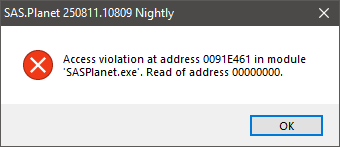
Example of an error window in the release version:
Example of an error window in the debug version:

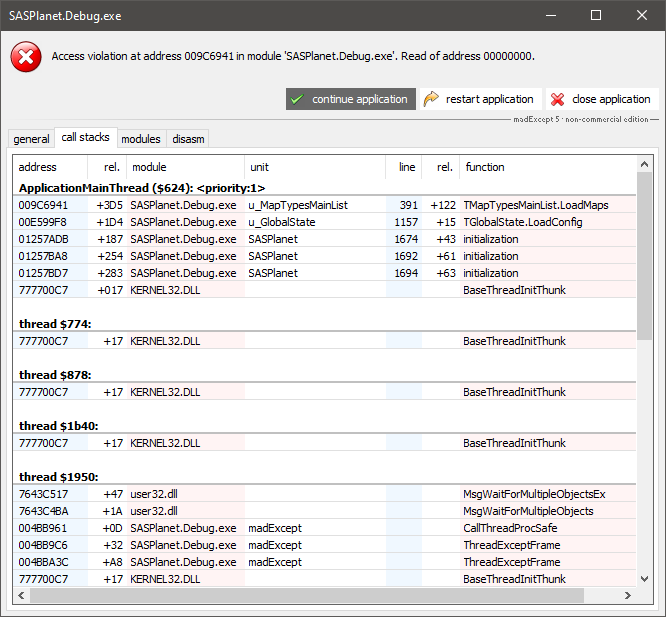
This window has several buttons:
show bug report— This button opens a window with detailed technical information about the crash. This information is very important for developers.continue application— The program will try to continue running, ignoring the error. This may lead to unstable operation or another crash.restart application— The program will close and start again.close application— The program will be forcibly closed.
Example of a window with a detailed report in the debug version: